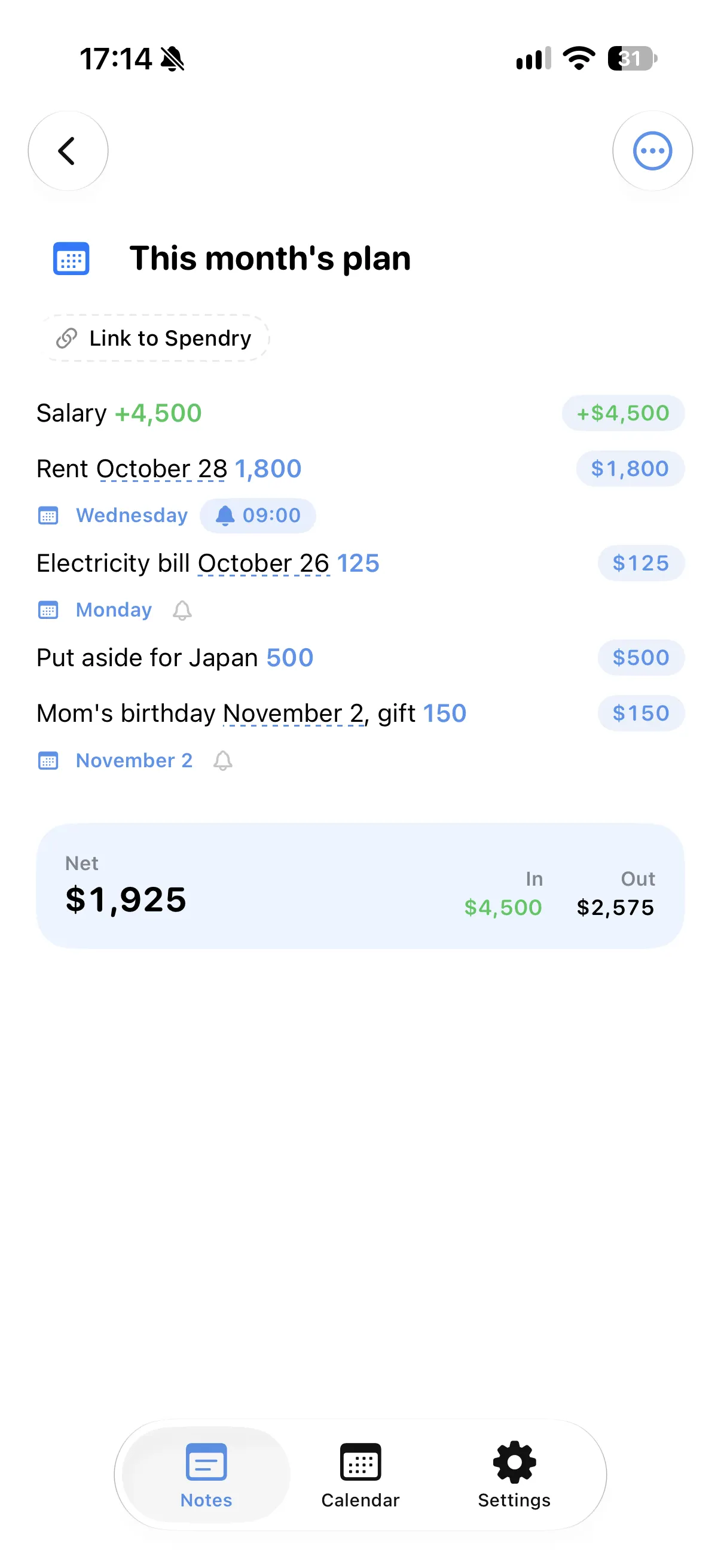
Dates in plain words
"Tomorrow", "next Friday", "in 3 days", "the 15th" and "every month" are all understood.
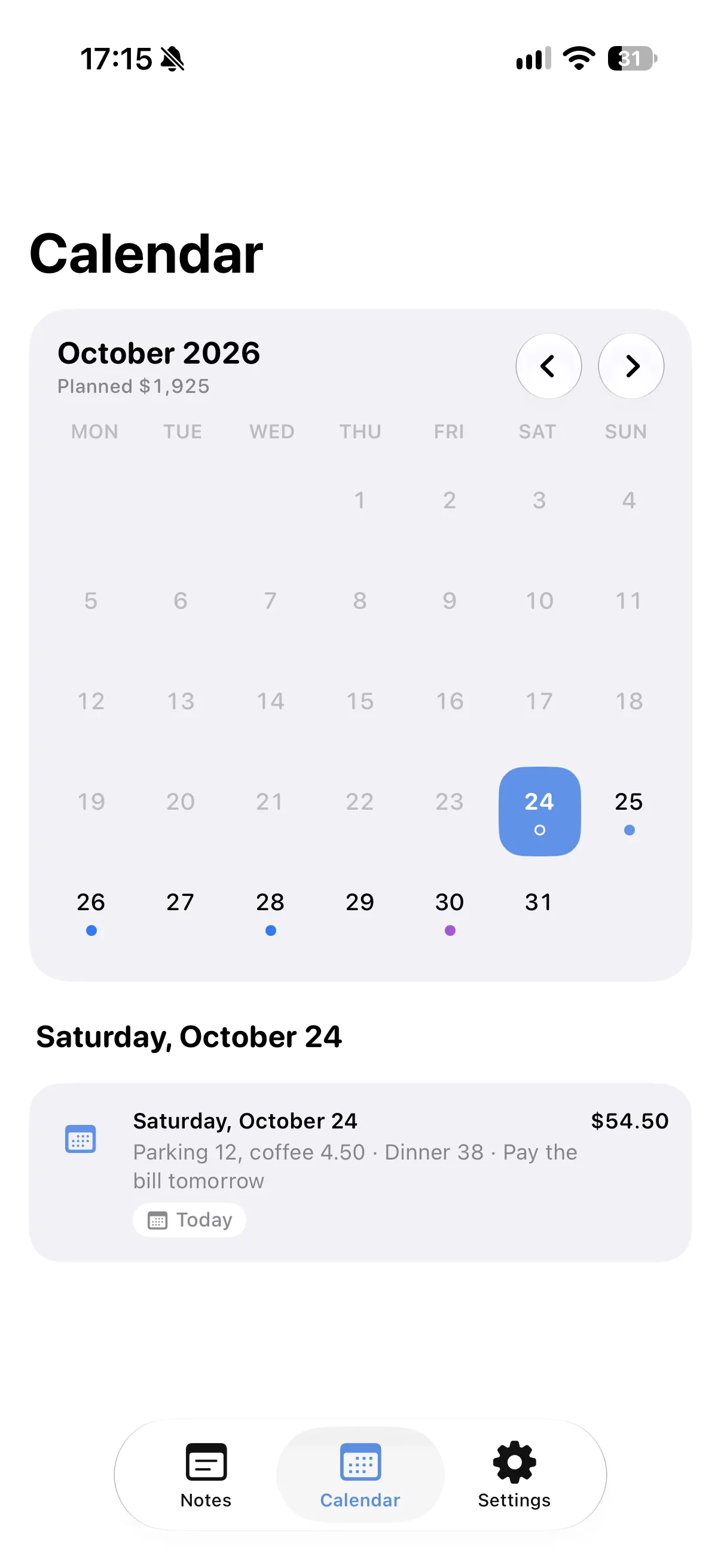
A calendar from your notes
Every dated line shows up on its day in the calendar, with the amount if it has one.
Quiet reminders
A reminder is added only to the lines you choose, at the time you choose.
Coming up at a glance
Widgets on the Home Screen and Lock Screen show the plans coming up.
How to add reminders to notes
- Write a line with a day, like "Rent on the 28th 1,800".
- Find it on that day in the calendar.
- Add a reminder to the line if you want one.
- Add a widget to see what is coming up.
Why keep dates in your notes
- Plans stay where you wrote them, not in another app.
- Bills and payments show their amounts on the calendar.
- Reminders never fill up without your say.
- All Spendry Notes features are free.
Questions
Can a note have a reminder on iPhone?
In Spendry Notes, any line with a day can get a quiet reminder, only when you add one.
Does it understand dates like "next Friday"?
Yes. "Tomorrow", "next Friday", "in 3 days", "the 15th" and "every month" are all understood.
Can I see plans on the Lock Screen?
Yes. Spendry Notes has widgets for coming plans and lists, also on the Lock Screen.
More from Spendry Notes
- Spendry Notes
- Grocery list app
- Shopping list with prices
- Notes app with calculator
- Split the bill
- Monthly plan in a note
- Trip budget planner
- Moving checklist
- Event budget planner
- Wishlist with prices
- Remember grocery prices
- Gift list with a budget
- Black Friday list
- Daily expense notes
- Renovation budget
- Spendry & Notes