In, out and what is left
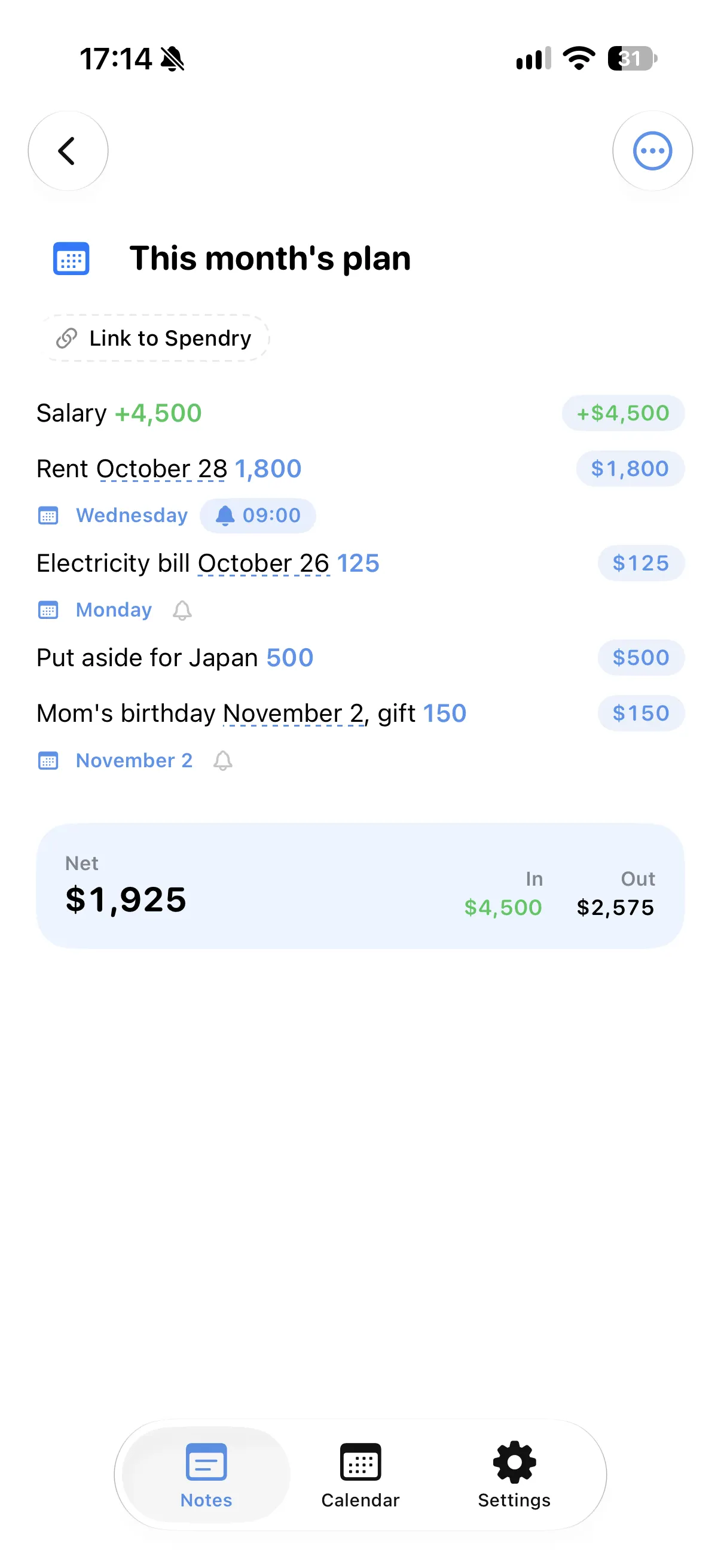
Income and costs in one note give a net total for the month, so the plan stays honest.
Every day on the calendar
"Rent on the 28th" and "Electricity bill on the 26th" land on their days in the calendar.
Reminders only where you want them
Add a quiet reminder to the lines that need one, such as rent or a bill.
Start from the month template
Templates for the month, a trip, a move or an event give you a ready start.
How to plan a month in Spendry Notes
- Start from the month template or a blank note.
- Write your income and each cost with its day.
- Check the net total and the calendar.
- Add reminders to the payments you do not want to miss.
Why plan the month in a note
- It is as quick as writing on paper.
- The totals and the calendar keep up by themselves.
- With Spendry, a line becomes an expense or a reminder in one tap.
- All Spendry Notes features are free.
Questions
Can I make a monthly budget in a notes app?
Yes. In Spendry Notes, write income and costs with their days, and the note shows the net total and puts each day on the calendar.
Will it remind me before a bill is due?
Yes, if you add a reminder to that line. Reminders are only added where you want them.
Does it work with Spendry?
Yes. Link the note to a budget in Spendry, or send a line to Spendry as an expense or a reminder.
More from Spendry Notes
- Spendry Notes
- Grocery list app
- Shopping list with prices
- Notes app with calculator
- Split the bill
- Trip budget planner
- Moving checklist
- Event budget planner
- Notes with reminders
- Wishlist with prices
- Remember grocery prices
- Gift list with a budget
- Black Friday list
- Daily expense notes
- Renovation budget
- Spendry & Notes