Budgets that keep up with you
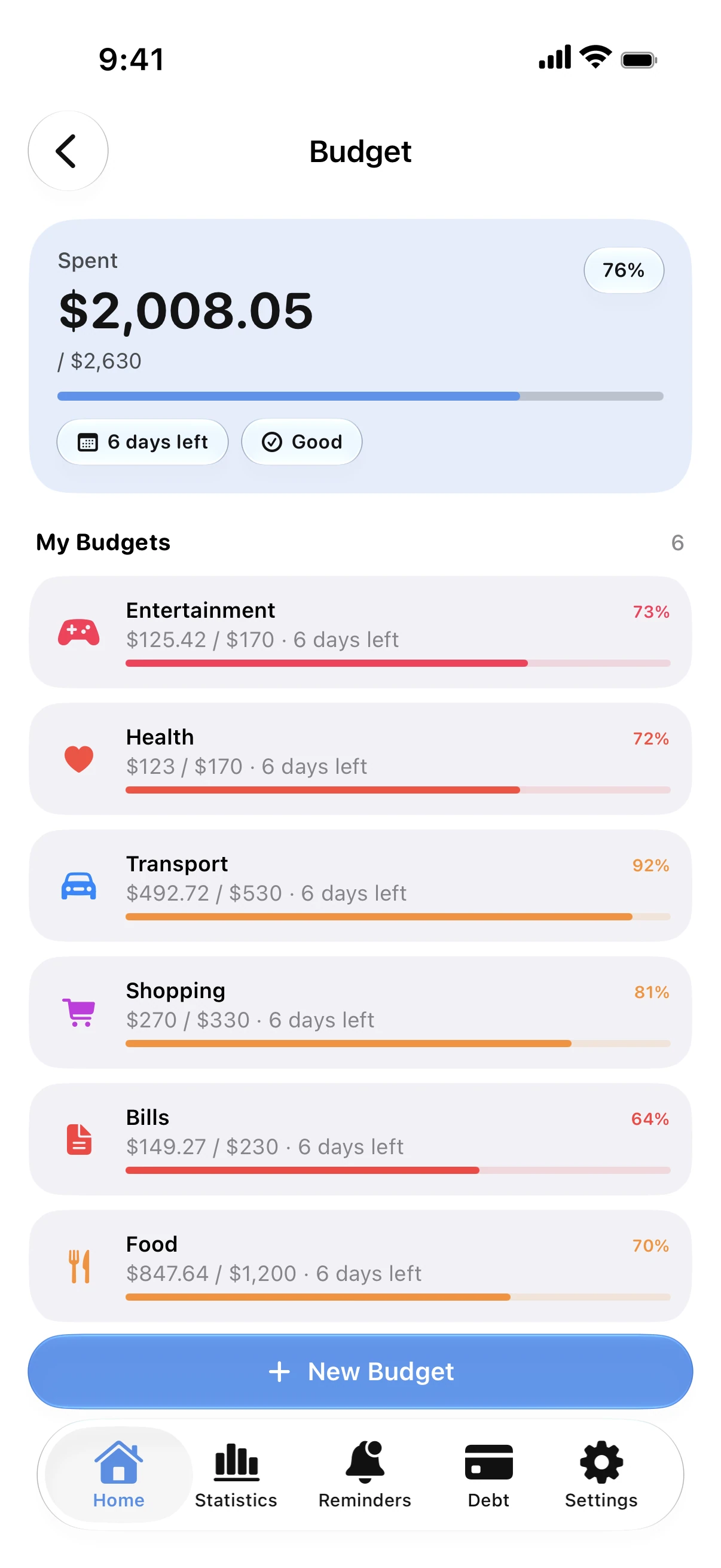
Set a monthly limit for groceries, eating out or anything else. Every expense fills its budget, and Spendry warns you before you hit the limit, not after.
The rest of the month, in advance
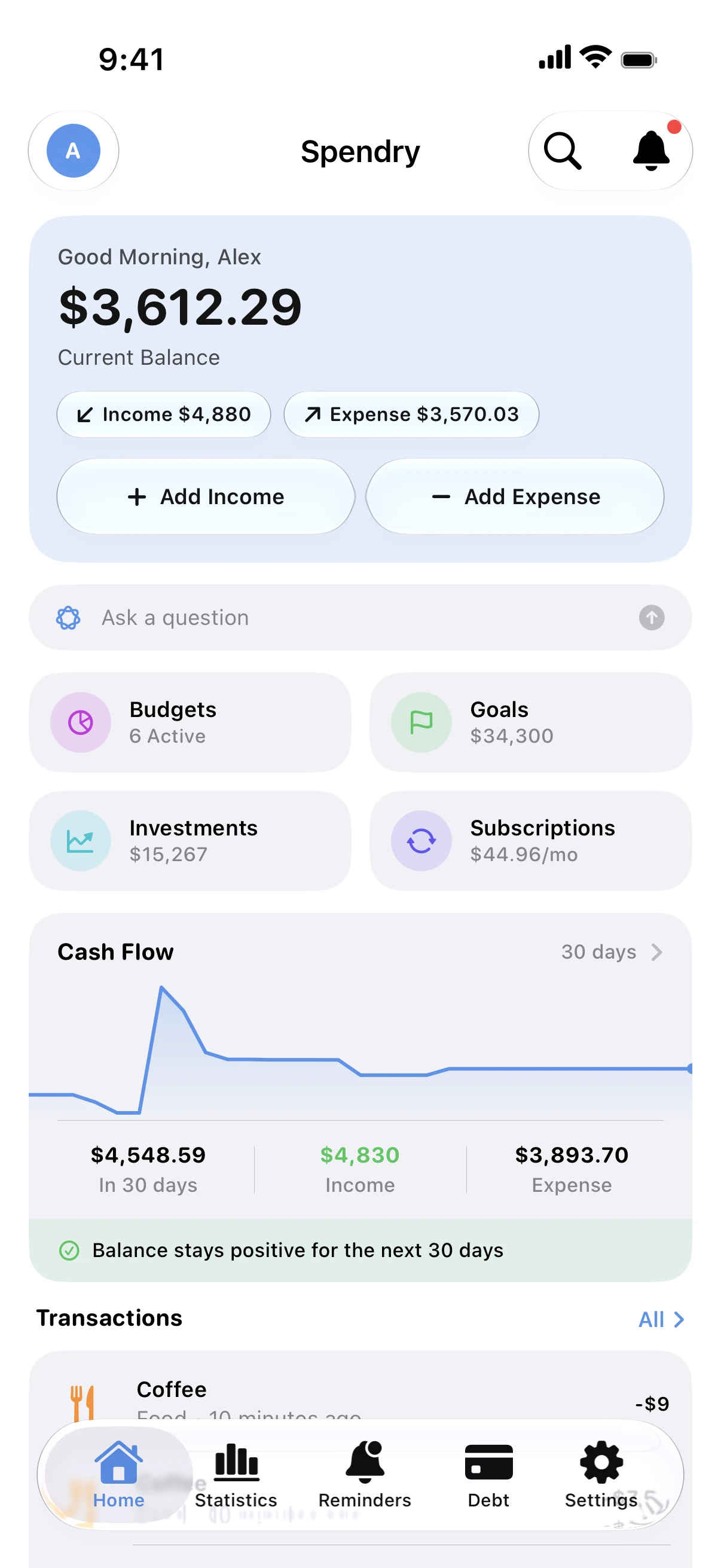
Card statements, loan payments, bills and subscriptions due before payday sit next to your balance, so you know what is really left to spend.
Add an expense in seconds
Type the amount and pick a category, scan a receipt, add one from a widget, or let a Shortcuts automation log Apple Pay purchases for you.
See where it all goes
Weekly and monthly charts by category and by day show which budgets slip and how this month compares with the last.
How to start a budget in Spendry
- Add your income and the accounts or cards you pay from.
- Create budgets for the categories you spend most on and give each a limit.
- Log expenses as they happen, or turn on the Apple Pay automation.
- At the end of the month, check the charts and adjust next month's limits.
Why people choose Spendry
- No bank login: you decide what goes in, and nothing connects to your bank.
- Your data stays on your iPhone and in your own iCloud; nothing is collected.
- Debts, cards and installments live next to your budget, not in another app.
- Free to download, with optional Premium.
Free calculators
Monthly budget calculator
Free monthly budget calculator: split your take-home pay into needs, wants, and savings or debt payments in seconds. No sign-up.
Subscription cost calculator
Free subscription calculator. List your subscriptions with their price and billing cycle and see what they cost each month, each year and over five years.
Debt payoff calculator
Free debt payoff calculator: compare the snowball and avalanche methods and see the month you'll be debt-free and the interest you'll pay. No sign-up.
Guides
How to make a monthly budget that works
A simple way to build a monthly budget: start from your income, cover needs first, set limits for spending and save before you spend.
How to track spending without linking your bank
You don't need to give an app your bank login to track spending. Add expenses in seconds, scan receipts and keep your data on your own iPhone.
Budget widgets for your iPhone Home Screen
See your balance, budgets, goals and upcoming payments on your Home Screen and Lock Screen, and add an expense without opening the app.
Questions
Is Spendry a free budget app?
Yes. Budgets, expenses, reminders and the core features are free. Premium is optional: monthly or yearly with a free week, or a one-time Lifetime purchase.
Does Spendry need access to my bank account?
No. It never asks for a bank login. You add expenses yourself, import them from bank messages or let a Shortcuts automation log Apple Pay purchases.
Can I share a budget with my partner?
Yes. Shared budgets and goals sync through iCloud, and each person uses their own Apple Account.
Which devices does it work on?
iPhone and iPad with iOS 17 or later. There is also a version for Mac on the Mac App Store.