
Lists that add up
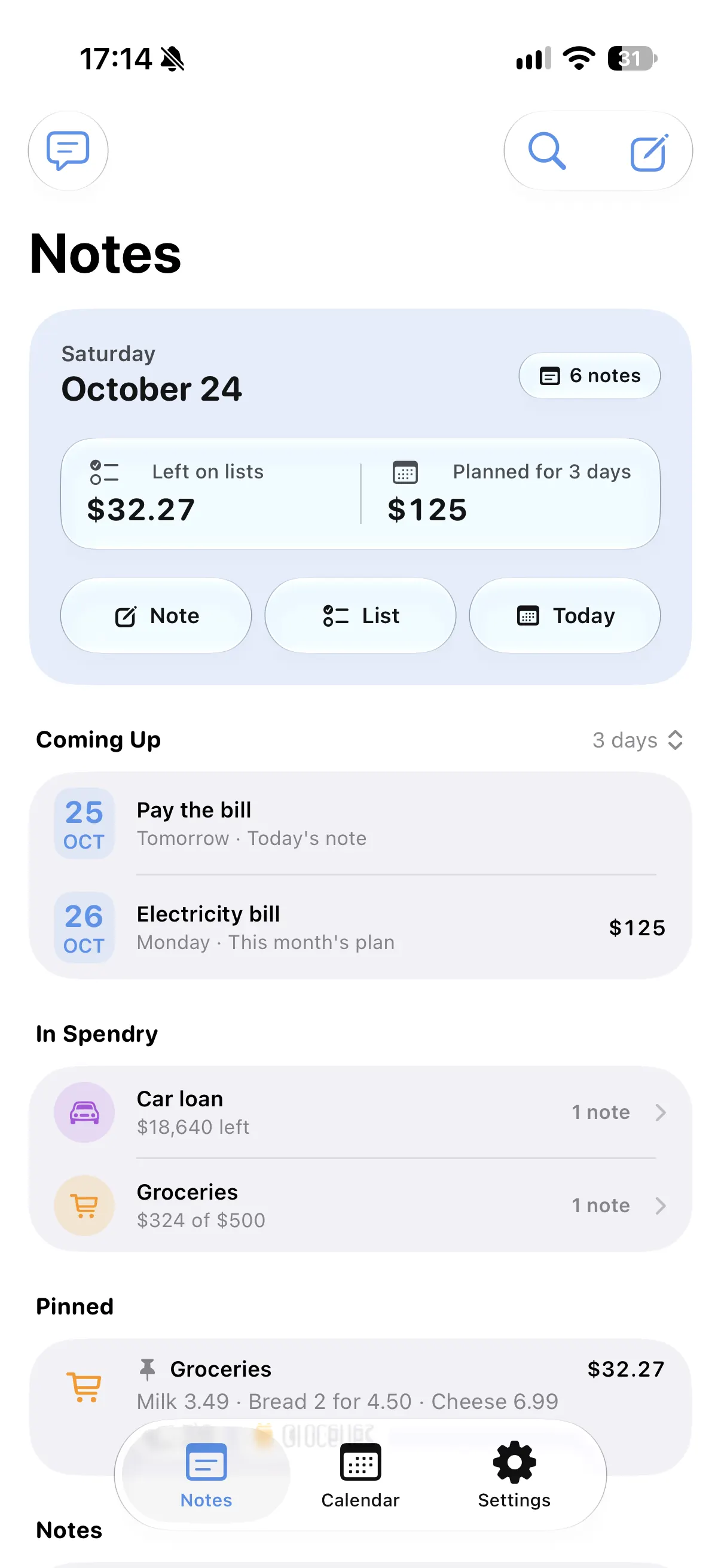
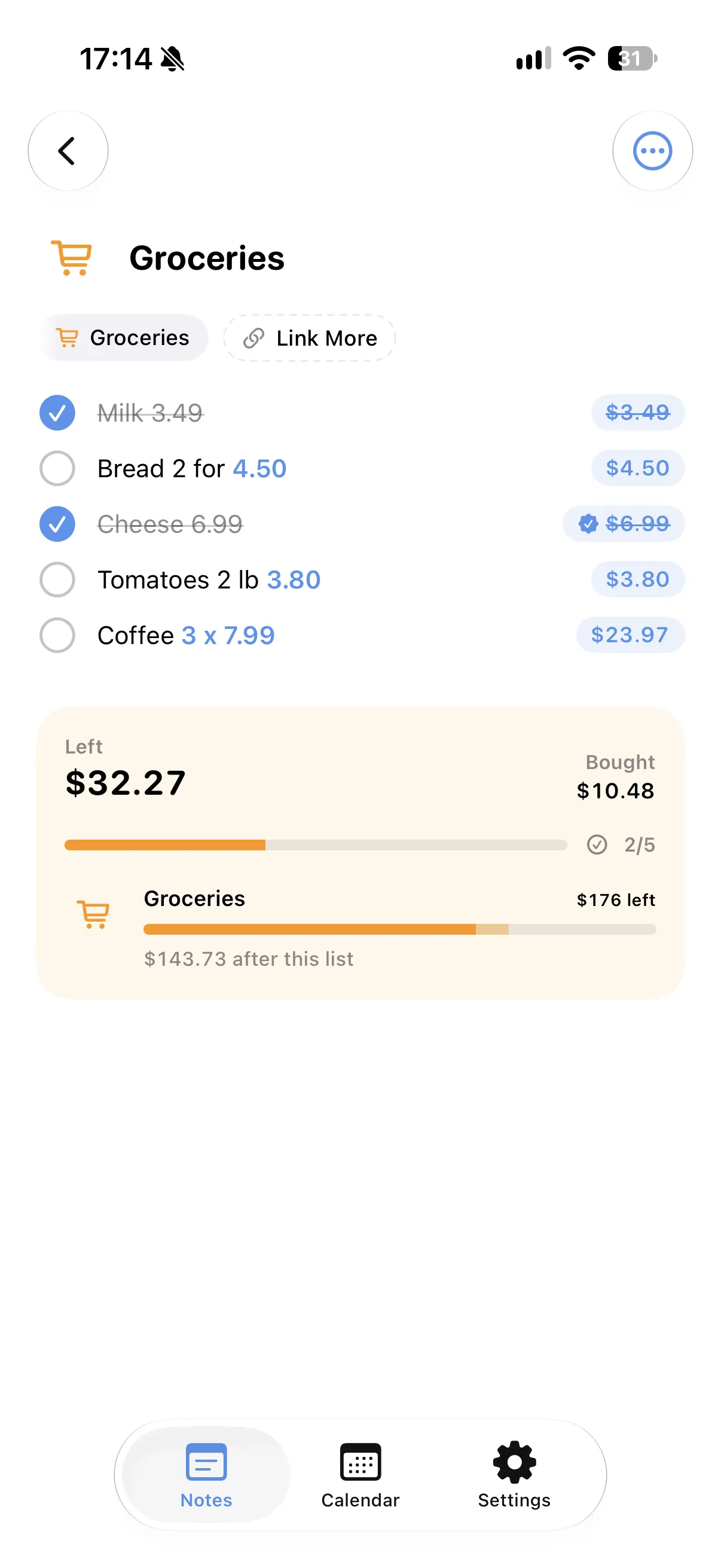
Shopping lists show a live total of what is left to buy and what you already bought. Tick items as you shop and the totals follow.
Write it the way you say it
"5 bottles of water at 2.00 each", "2 kg tomatoes at 3.50 a kilo" or "Dinner 120/3": quantities, unit prices, discounts, tips and each person's share are worked out for you.
Days become plans
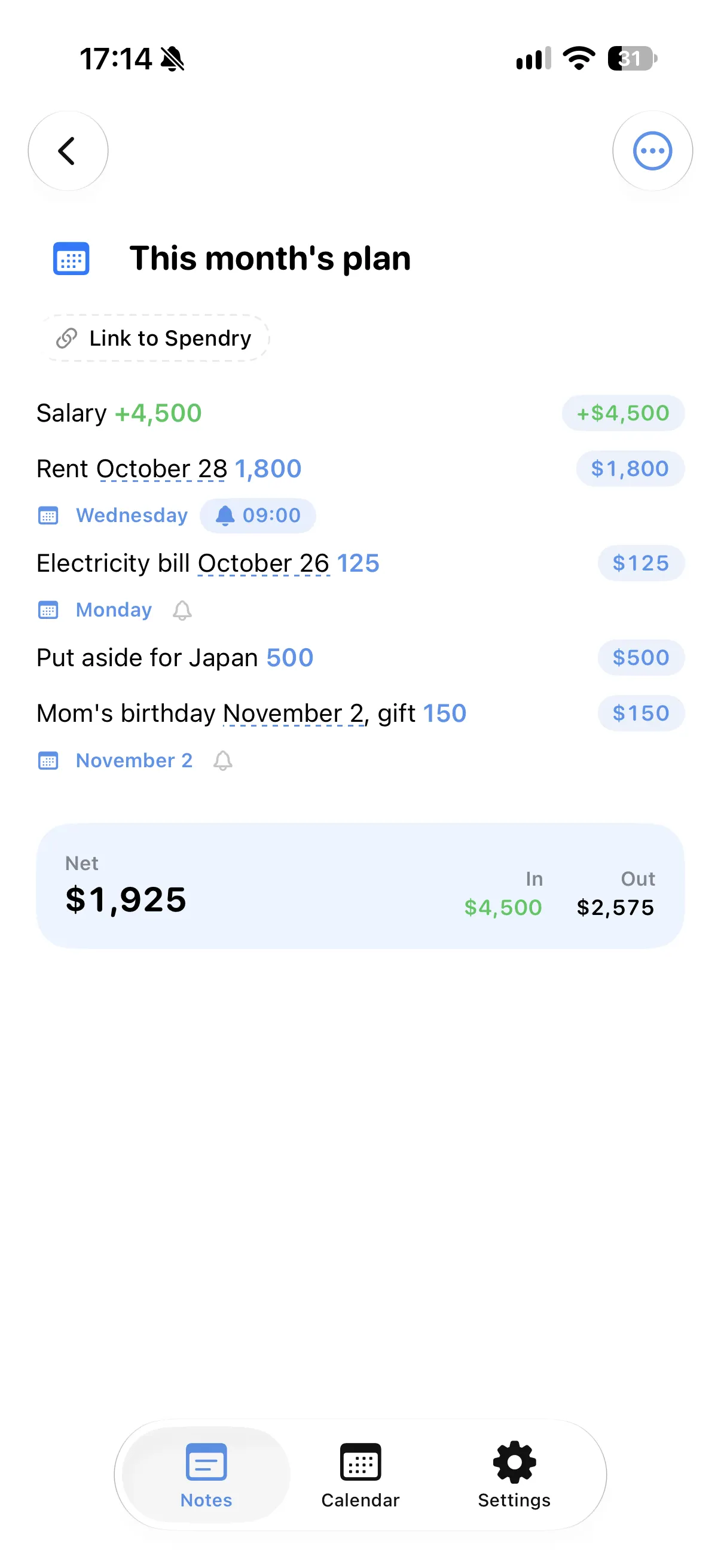
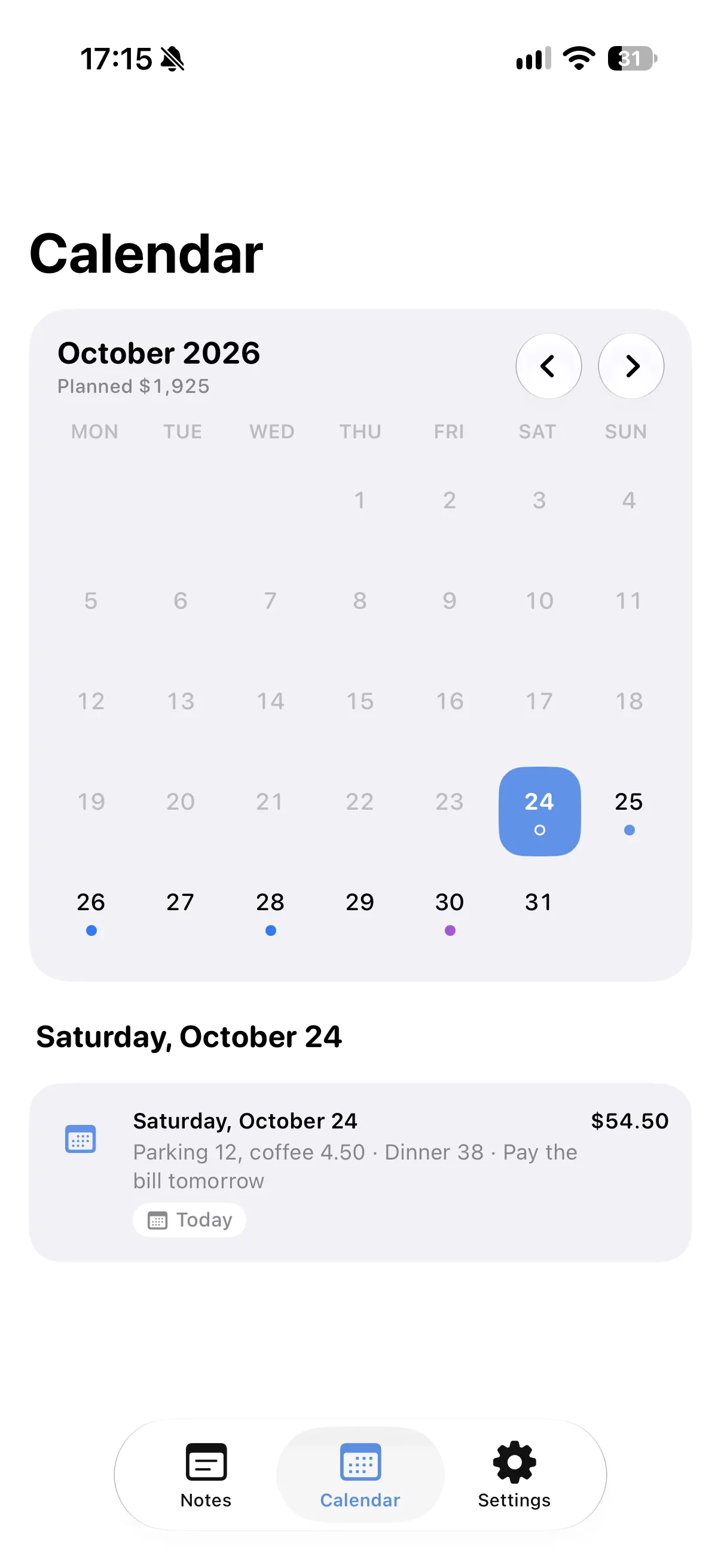
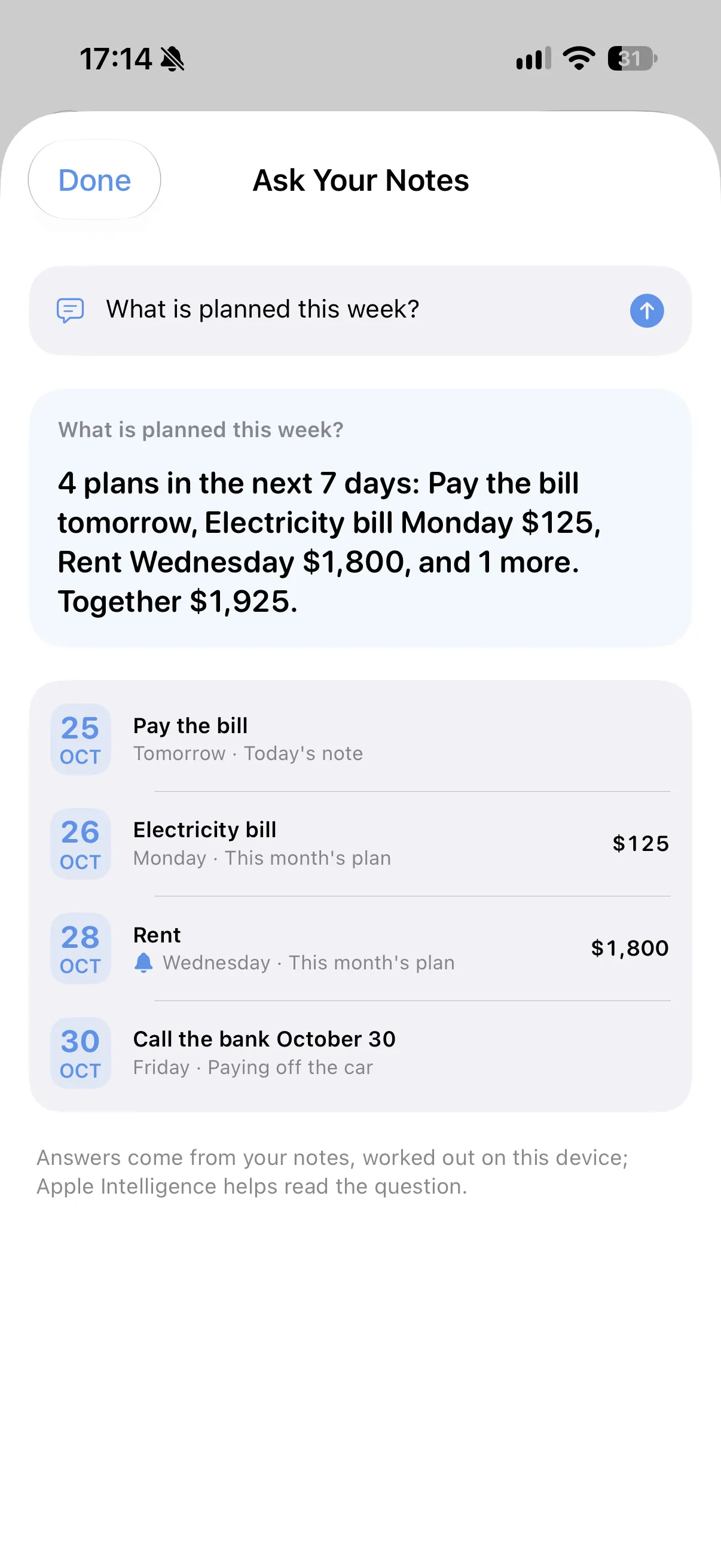
Write a day in a line and it shows up on that day in your calendar. "Tomorrow", "next Friday", "in 3 days", "the 15th" and "every month" are all understood, and any line can get a quiet reminder.
Ask your notes
Ask "What is planned this week?" or "What's left on my lists?" and get the answer from your own notes, worked out on your iPhone.
Linked to Spendry
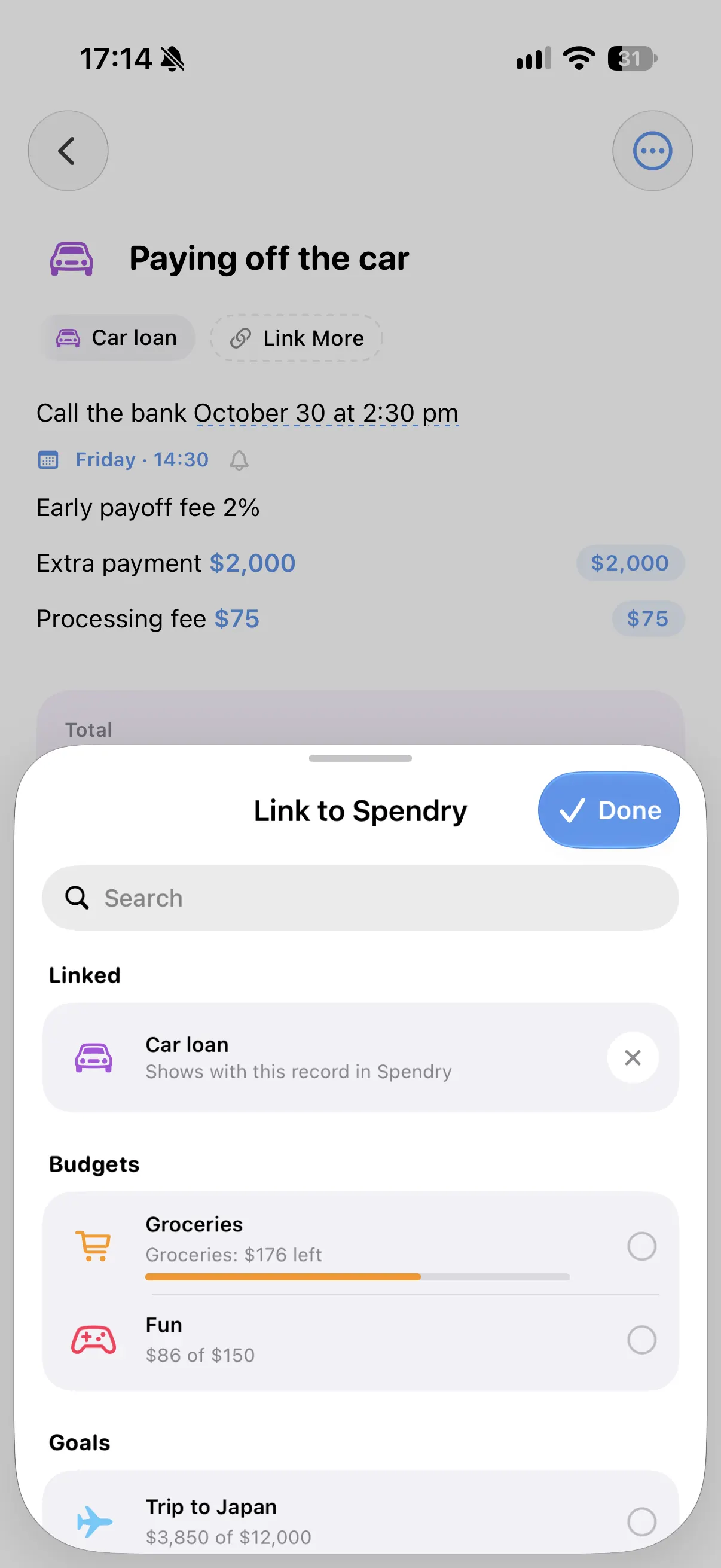
Link a note to a budget, goal or loan in Spendry and see what your list would leave, or send a line to Spendry as an expense or a reminder in one tap.
Inside Spendry Notes
How to start with Spendry Notes
- Download Spendry Notes from the App Store. It is free.
- Write a list or a plan the way you would on paper, with prices and days.
- Watch the totals and your calendar fill in by themselves.
- If you use Spendry, link the note to a budget, goal or loan.
Why people use Spendry Notes
- All Spendry Notes features are free.
- It works on its own, and even better with Spendry.
- Widgets show your lists and coming plans, also on the Lock Screen.
- iCloud keeps your notes on your devices, and Recently Deleted keeps them for 30 days.
Questions
Is Spendry Notes free?
Yes. All Spendry Notes features are free. Spendry Premium is an optional subscription that unlocks Premium features in Spendry, and one subscription covers both apps.
Do I need Spendry to use Spendry Notes?
No. Spendry Notes works on its own. With Spendry installed you can also link notes to budgets, goals and loans and send lines to Spendry.
Which devices does Spendry Notes run on?
Spendry Notes is an iPhone app and needs iOS 17 or later.
Can I use Siri with Spendry Notes?
Yes. Siri and Shortcuts can add things to a list and tell you what is coming up.
More from Spendry Notes
- Grocery list app
- Shopping list with prices
- Notes app with calculator
- Split the bill
- Monthly plan in a note
- Trip budget planner
- Moving checklist
- Event budget planner
- Notes with reminders
- Wishlist with prices
- Remember grocery prices
- Gift list with a budget
- Black Friday list
- Daily expense notes
- Renovation budget
- Spendry & Notes
