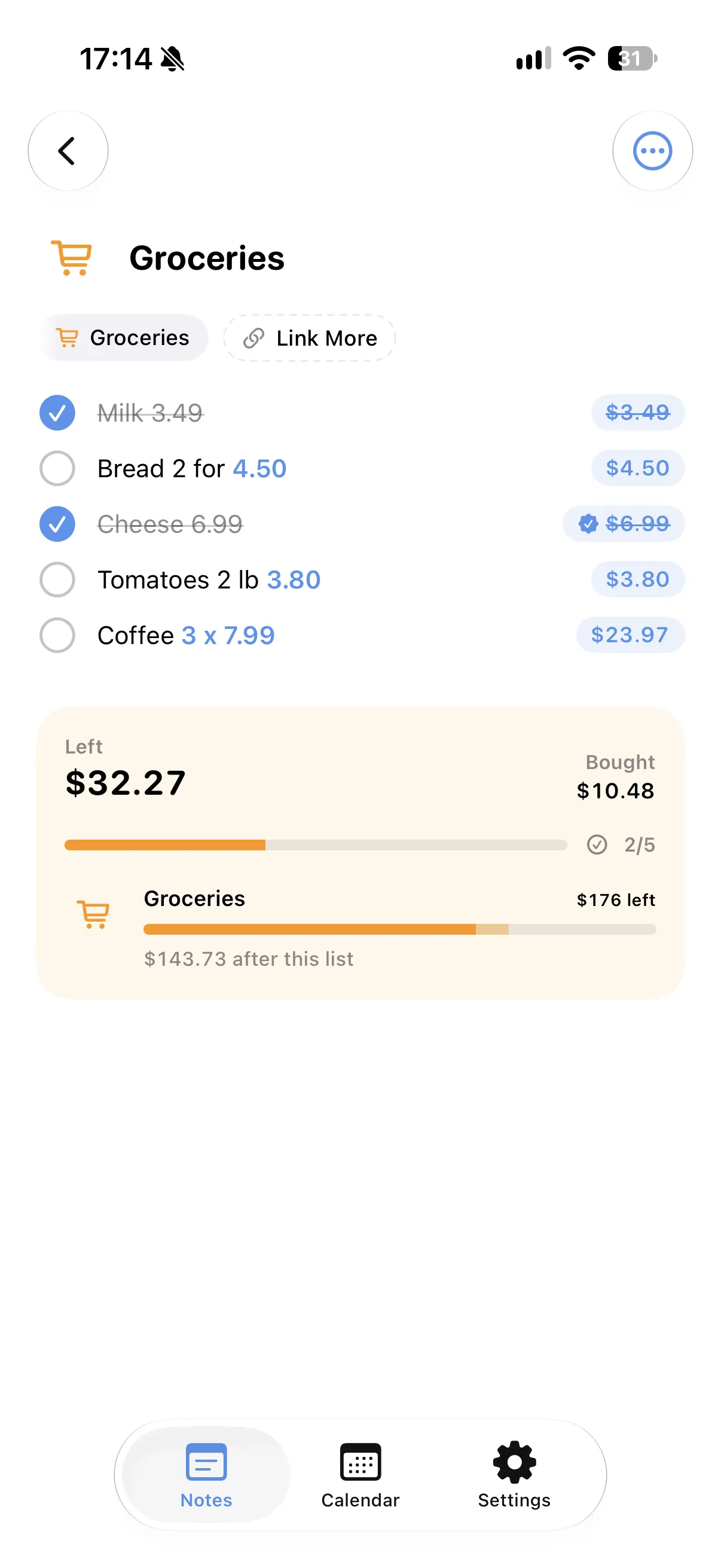
Amounts anywhere in a line
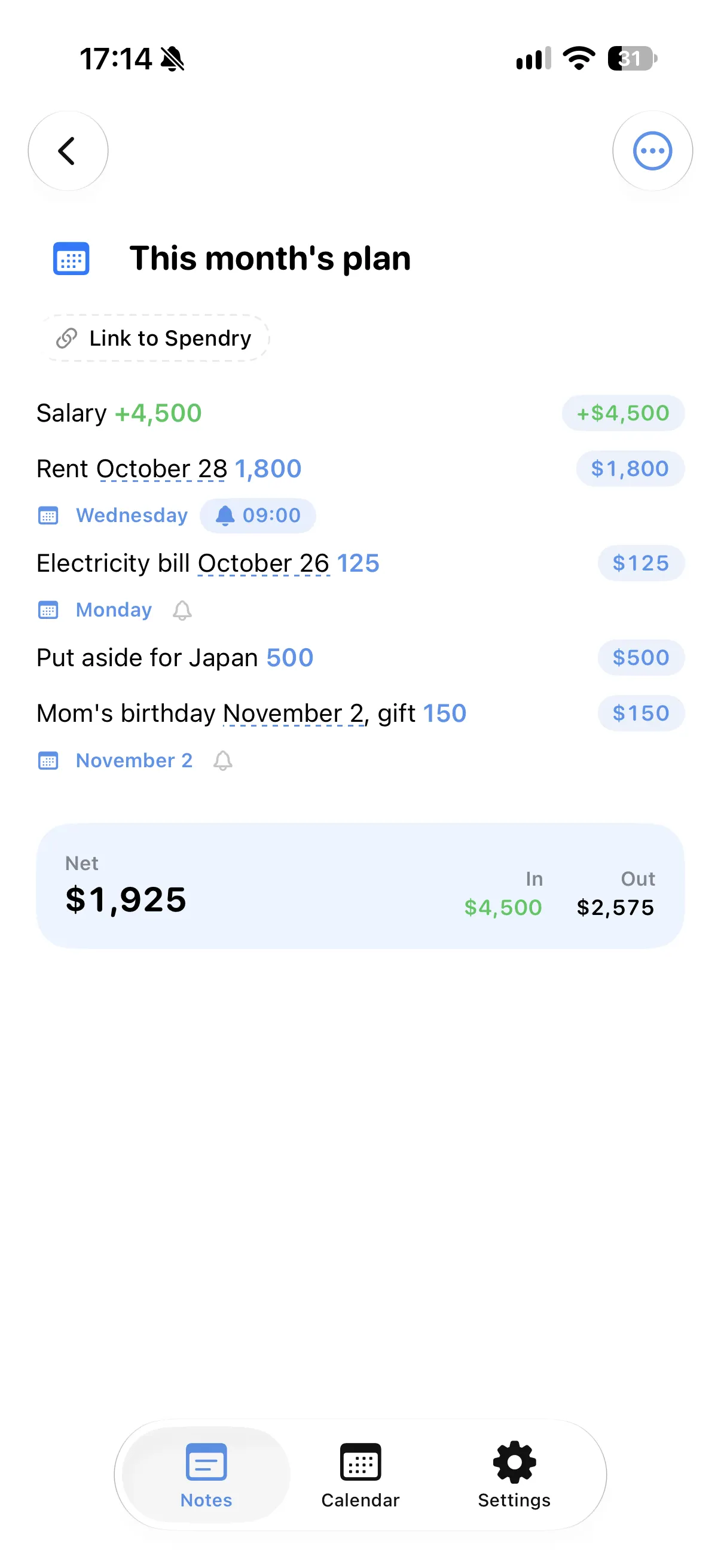
"Rent on the 28th 1,800" or "Coffee 3 x 7.99": the amount, the quantity and the day are all read from the words you write.
Money in and money out
Write income and expenses in the same note and see what comes in, what goes out and what is left.
Splits and percentages
"Dinner 120/3" shows each person's share, and "-20%" or "+10% tip" change the total.
Answers from your notes
Ask what is planned this week or what is left on your lists, and the answer comes from your own notes.
How to use a notes app as a calculator
- Open a note in Spendry Notes.
- Write each line as you would say it, with its amount.
- Read the totals under the note as you write.
- Add a day to any line to put it on your calendar.
Why notes that calculate help
- No switching between a notes app and a calculator.
- The note keeps your words, not just the numbers.
- Totals change by themselves when you edit a line.
- Free to download and free to use.
Questions
Is there a notes app that adds up numbers on iPhone?
Spendry Notes reads the amounts in your lines and adds them up as you write, including quantities, discounts, tips and splits.
Does it work with income and expenses together?
Yes. Income and expenses in the same note give separate totals and what is left.
Is Spendry Notes free?
Yes. All Spendry Notes features are free.
More from Spendry Notes
- Spendry Notes
- Grocery list app
- Shopping list with prices
- Split the bill
- Monthly plan in a note
- Trip budget planner
- Moving checklist
- Event budget planner
- Notes with reminders
- Wishlist with prices
- Remember grocery prices
- Gift list with a budget
- Black Friday list
- Daily expense notes
- Renovation budget
- Spendry & Notes