Discounts and tips worked out
Write "-20%" next to an item or "+10% tip" at the end and the total follows.
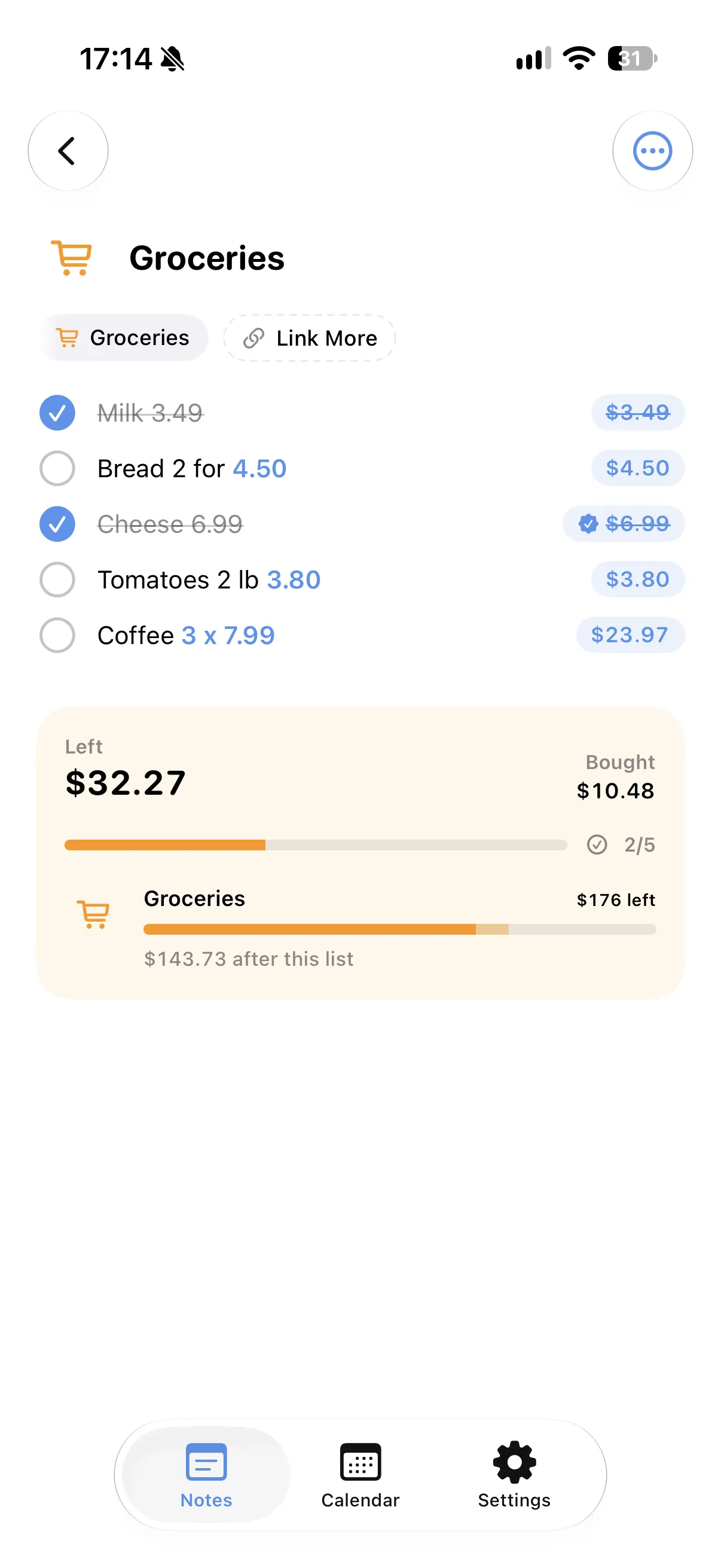
A budget for the list
Give the note a budget and see what is left as the list grows.
Bought and still to buy
Ticked items move to the bought total, so you always know what the rest will cost.
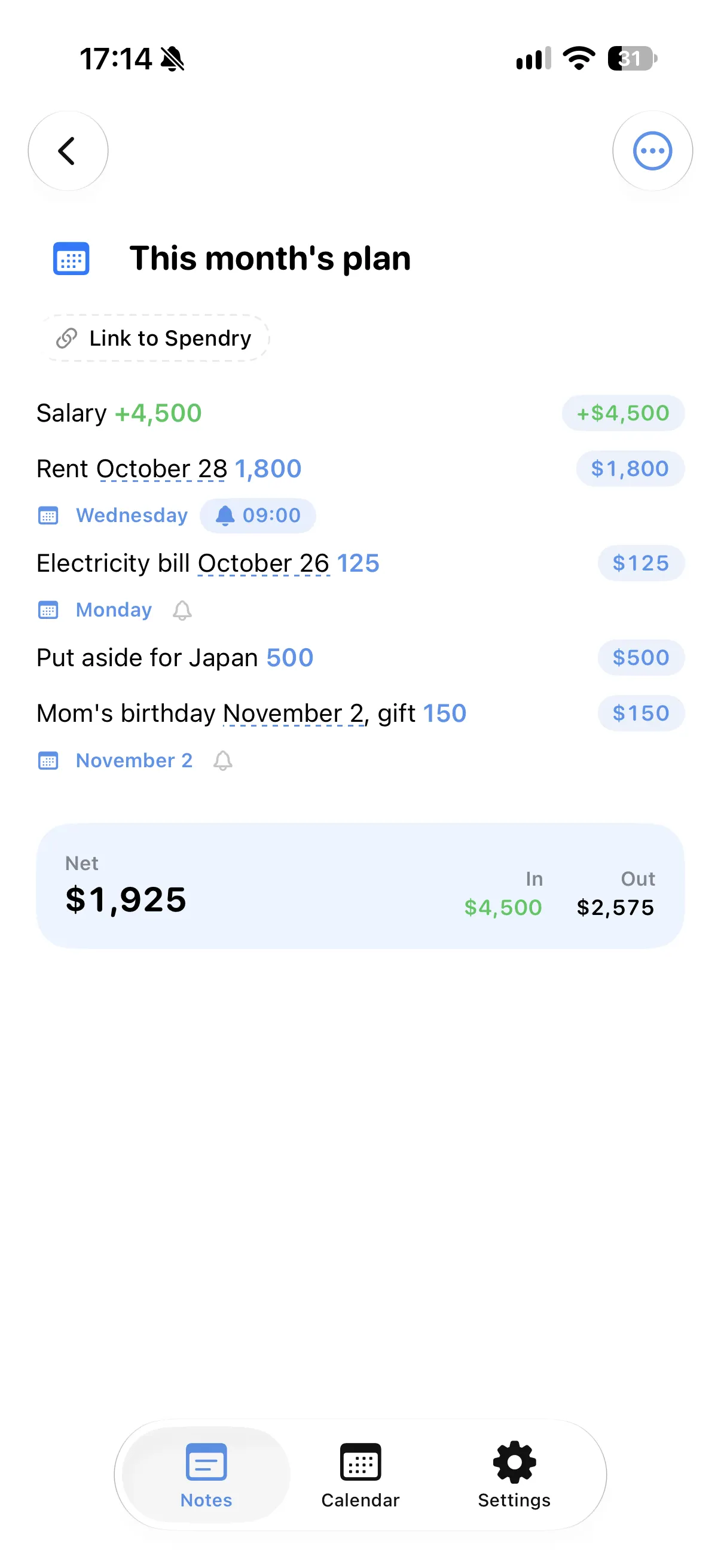
A list that keeps a day
Write a day in a line and it lands on your calendar, with a reminder only if you want one.
How to keep a shopping list with prices
- Start a new list in Spendry Notes.
- Write the items with their prices, quantities or discounts.
- Set a budget for the list if you have one.
- Tick items as you buy them and watch both totals.
Why a list with prices helps
- You see the cost before the checkout, not after.
- Discounts, quantities and tips are worked out for you.
- The list stays a plain note you can edit freely.
- All Spendry Notes features are free.
Questions
How do I add up a shopping list on iPhone?
Write the items with their prices in Spendry Notes. It adds them up as you write and shows a total for what is left and what you bought.
Can it work out discounts?
Yes. Write a discount such as "-20%" next to an item and the total follows.
Can I set a budget for a list?
Yes. Give the note a budget and Spendry Notes shows what is left.
More from Spendry Notes
- Spendry Notes
- Grocery list app
- Notes app with calculator
- Split the bill
- Monthly plan in a note
- Trip budget planner
- Moving checklist
- Event budget planner
- Notes with reminders
- Wishlist with prices
- Remember grocery prices
- Gift list with a budget
- Black Friday list
- Daily expense notes
- Renovation budget
- Spendry & Notes